


Step 1Before you trade
Set your rules.
Set your trade count, loss limits, and lock duration. Connect MT5 with your read-only investor password.

Set your limits. Lock your trading apps. Stop overtrading.
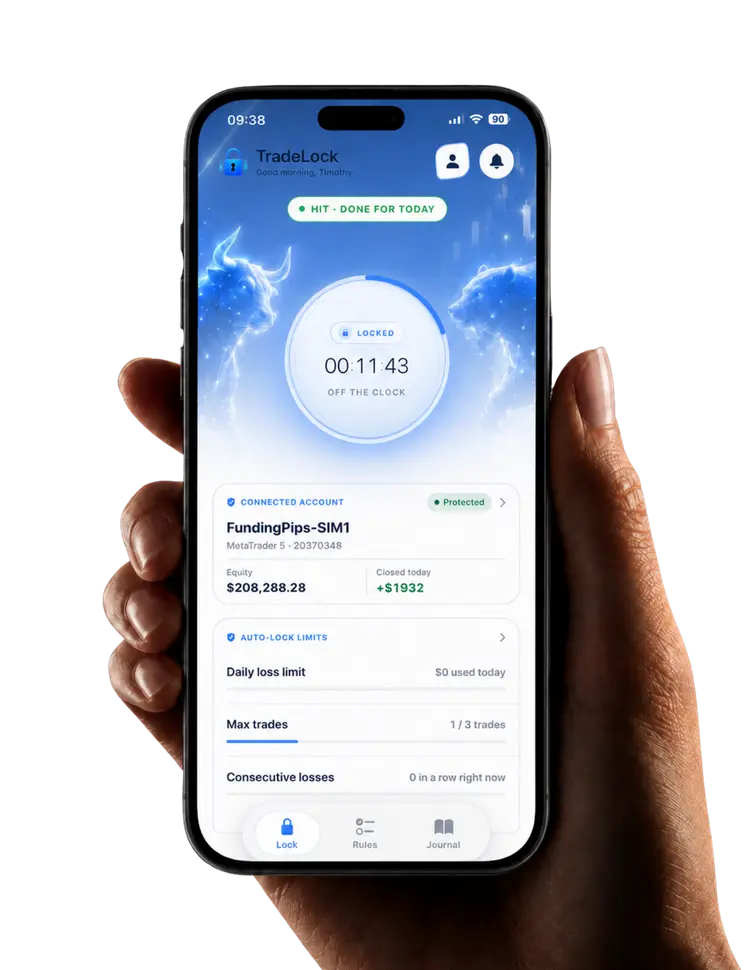
Activates after your trade closes.









Set your trade count, loss limits, and lock duration. Connect MT5 with your read-only investor password.

Once you close a trade, TradeLock checks it against your rules. If a limit is reached or a rule is broken, your selected trading apps lock for the duration you chose.
Journal as soon as a lock activates. Track your habits and see your progress in your monthly discipline score.
Trade-triggered locks activate only after a trade closes. TradeLock never closes a trade for you.
Set limits, block trading apps, and track your progress.
A clear boundary makes the next decision easier. Choose limits that fit your plan and a break that gives you time to reset.
Connect MT5 with your investor password. View your account activity on your phone while TradeLock watches closed trades for the limits you’ve chosen.
After a trade closes and a limit is reached, TradeLock locks access to the trading apps you selected. Choose the break that works for you.
A lock is a prompt to reflect. Capture your trade and your emotions while they’re fresh, then follow your journaling and habits through the month.
Keep account information and your lock status easy to see. Use TradeLock on iOS, Android, and Windows to support your daily routine.

One loss. One more trade to make it back. A session that drifts away from your plan.
TradeLock adds a pause at the moment your own rules say stop—so you can step back and make your next decision with a clearer head.
TradeLock reads your MT5 activity through your investor password, and your cTrader activity through a view-only cTrader ID sign-in. It cannot open, close, or modify trades.
Read the IP & prop firm FAQ

READ-ONLY CONNECTION

Using a prop firm? A separate read-only session may appear from a different IP address. If you’re concerned, let your firm know before connecting and ask them to confirm the connection is acceptable for your account.
What about FTMO?Try any plan free for 7 days.
Journal your trades.
Build better habits.
£7.50/month
£89.99 billed annually
Set your limits.
Let Auto-Lock take over.
£20.83/month
£249.99 billed annually
More accounts.
One place for your discipline.
£29.17/month
£349.99 billed annually
Cancel before day 7 to avoid being charged.
Understand the locks, the connection, and what to expect before you get started.
Talk to the TradeLock teamPermission for third-party read-only access is a separate question. If you’re concerned, contact FTMO before connecting, explain the London-based investor-password connection, and ask them to confirm it is acceptable for your account.
No questions match that search. Try “account”, “lock”, or .

Set trading limits. Lock your apps when you reach them.
Build discipline with every trade.